ATS Resume Checker Free 2026 — How to Score 90+ and Get Hired
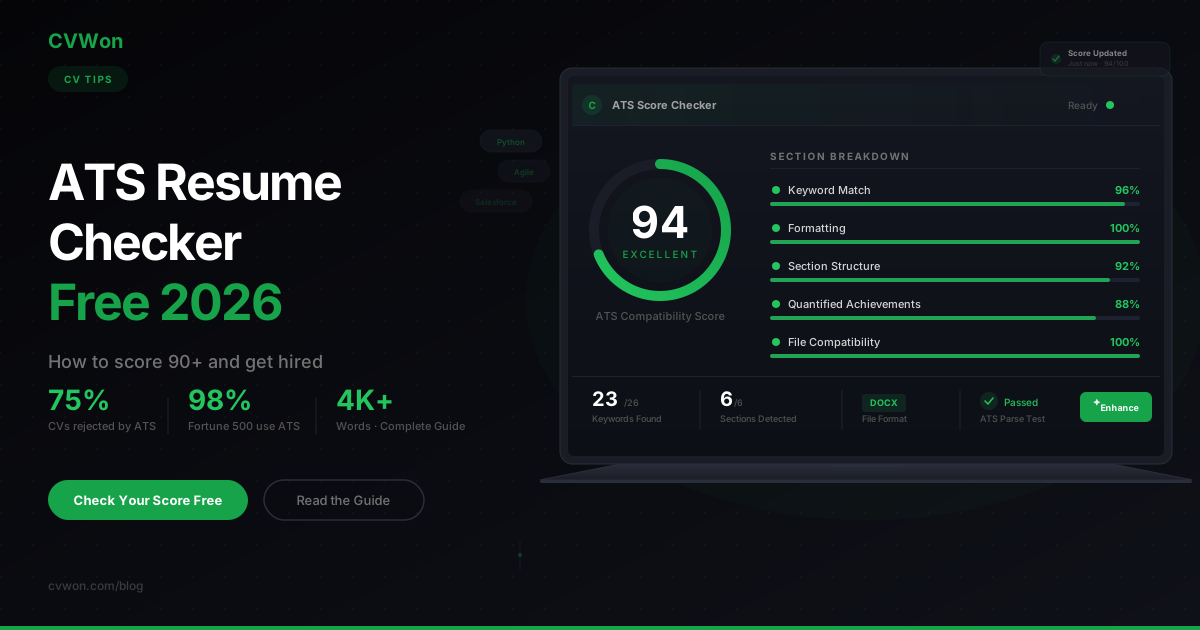
An applicant tracking system rejects up to 75 percent of resumes before a recruiter reads a single line. In 2026, 98 percent of Fortune 500 companies and more than 70 percent of mid-sized businesses filter every application through ATS software first. That means your qualifications, experience, and potential are irrelevant if your CV never reaches a human.
The problem is not your career history. The problem is formatting errors, missing keywords, and file types that ATS software cannot parse. A single two-column layout, an embedded image, or a creative header can drop your score below 50 — and send your application straight to the rejection pile.
The solution: run your CV through a free ATS resume checker before every application, fix what the scanner flags, and resubmit with confidence. CVwon's free ATS score checker analyses your CV against real ATS criteria and returns a score from 0 to 100 — no sign-up, no email, instant results. Pair it with the AI CV builder and you can create, check, and optimise your CV in one place.
This guide covers everything: how ATS works, what a good score looks like, how to push past 90, and the exact mistakes that kill applications in 2026.
What Is an ATS and Why Does It Reject Your CV?
An applicant tracking system is software that companies use to collect, sort, and rank job applications. When you click "apply" on a job posting, your CV enters a database where the ATS parses it — extracting your name, contact details, job titles, skills, education, and keywords. It then scores your CV against the job description and ranks you alongside every other applicant.
The ATS does not read your CV the way a person does. It reads raw text, looks for patterns, and matches strings. If it cannot parse a section — because of a table, a text box, an image, or a non-standard heading — it skips that content entirely. That missing content lowers your score.
Why Applications Get Rejected
There are three main reasons an ATS rejects a CV:
- Formatting failures. Tables, columns, headers, footers, graphics, and non-standard fonts confuse parsers. An EDLIGO study of 1,000 rejected resumes found that PDFs have an 18 percent parse failure rate compared to just 4 percent for plain DOCX files.
- Keyword mismatches. If the job description says "project management" and your CV says "programme coordination," the ATS may not recognise the match — especially older rule-based systems.
- Missing sections. An ATS expects standard headings: Work Experience, Education, Skills, Contact Information. If you use creative alternatives like "My Journey" or "What I Do," the parser may skip the entire section.
According to a Jobscan analysis, 88 percent of employers believe they lose highly qualified candidates because their CVs are not ATS-friendly. The filter is not perfect — but it is the gatekeeper.
What Is a Good ATS Score?
A good ATS score is 80 or above on a 0–100 scale. At this level, your CV demonstrates strong keyword alignment with the job description, clean formatting that parsers handle correctly, and a clear section structure the system can read.
Here is how the full range breaks down:
| Score Range | Rating | What It Means | What to Do |
|---|---|---|---|
| 90–100 | Excellent | Strong keyword match, clean formatting, all sections parsed. Top of the ranking. | Submit with confidence. Fine-tune for human readability. |
| 80–89 | Good | Solid alignment. Minor keyword gaps or formatting issues. | Add 2–3 missing keywords. Check file format. |
| 60–79 | Needs Work | Partial keyword match. Some sections may not parse. | Rewrite skills section. Switch to single-column layout. Re-scan. |
| 40–59 | Poor | Major gaps. ATS is missing large parts of your CV. | Rebuild using an ATS-safe template. Remove all graphics. |
| 0–39 | Critical | CV is essentially invisible to the ATS. | Start fresh with the CVwon builder. Upload your LinkedIn PDF and let AI restructure it. |
The target for competitive applications is 80+. For high-demand roles with hundreds of applicants, aim for 90 or above to land in the top tier of the ranking. Research suggests that resumes scoring 80+ receive two to three times more callbacks than those below 70.
Pro Tip: There is no universal ATS score. Each company uses different software — Workday, Greenhouse, Lever, iCIMS, Taleo — with different parsing logic. An ATS checker simulates this process. The goal is to optimise broadly so your CV performs well across all major systems.
How Do You Check Your ATS Score for Free?
You can check your ATS score for free in under 60 seconds using an online ATS checker. The process is simple: upload your CV, optionally paste the job description, and get an instant compatibility score.
How to Check Your Score on CVwon (5 Steps)
- Go to cvwon.com/ats-score-checker.
- Upload your CV as PDF or DOCX.
- Paste the target job description (optional but recommended for keyword matching).
- Click "Check Score." The AI analyses formatting, keywords, section structure, and ATS compatibility.
- Review your report. You get a score from 0 to 100 plus a section-by-section breakdown showing exactly what to fix.
No account required. No email. No paywall. Run unlimited scans.
What Makes CVwon Different From Other Checkers
Most free ATS checkers limit scans (Jobscan offers 3 per month, Resume Worded offers 1 free scan) or hide detailed feedback behind a paywall. CVwon provides:
- Unlimited free scans — no login, no limit
- Score from 0 to 100 with colour-coded section breakdown
- Keyword detection — shows which job-description keywords are present and which are missing
- AI Enhancement suggestions — not just flagging problems but rewriting weak bullet points
- 11 languages supported — English, German, French, Spanish, Arabic, and more
- LinkedIn PDF import — upload your LinkedIn export and get an instant ATS score
Pro Tip: Run an ATS check before every application. Job descriptions vary, and a CV that scores 92 for one role might score 68 for another because of different keyword requirements.
How Do You Get an ATS Score of 90 or Above?
Getting an ATS score above 90 requires three things: exact keyword alignment with the job description, clean single-column formatting, and a complete section structure with standard headings. Here is the step-by-step process.
Step 1 — Mirror Keywords From the Job Description
Read the job posting line by line. Identify hard skills, soft skills, tools, certifications, and job titles. Use the exact phrasing. If the posting says "stakeholder management," write "stakeholder management" — not "liaison with key partners."
❌ Before:
Responsible for handling client accounts and making sure projects were delivered.
✅ After (ATS-optimised):
Managed a portfolio of 12 enterprise client accounts using Salesforce CRM, delivering 98% of projects on time and increasing client retention by 24%.
The "After" version includes a measurable result, a tool keyword (Salesforce CRM), and action-driven language the ATS rewards.
Step 2 — Use a Single-Column, ATS-Safe Layout
Multi-column layouts, text boxes, tables, and infographics break ATS parsing. Here is what to use and what to avoid:
| ✅ ATS-Safe Elements | ❌ ATS-Killer Elements |
|---|---|
| Single-column layout | Two-column or sidebar layouts |
| Standard bullet points (•) | Custom icons, checkmarks, arrows |
| 10–12pt body text (Arial, Calibri, Garamond) | Decorative or script fonts |
| Standard headings: Work Experience, Education, Skills | Creative headings: "My Story", "Toolkit" |
| DOCX or text-based PDF | Scanned PDF, image-based files, .pages |
| Plain-text contact info at top | Contact info in headers or footers |
| Black text on white background | Coloured text or dark backgrounds |
Step 3 — Include All Expected Sections
An ATS looks for these sections in order:
- Contact Information (name, phone, email, LinkedIn, location)
- Professional Summary (2–3 sentences with top keywords)
- Work Experience (reverse chronological, quantified bullets)
- Education (degree, institution, year)
- Skills (hard skills + soft skills, keyword-rich)
- Certifications (if applicable)
Missing any of these drops your score. Adding a Skills section above Work Experience is a 2026 best practice — more than 60 percent of companies now use skills-based screening before reviewing job history.
Step 4 — Quantify Every Achievement
ATS systems in 2026 increasingly distinguish between achievement-oriented and duty-listing CVs. Aim for at least 70 percent of your bullet points to include a number.
❌ Before:
Helped improve team performance and worked on sales initiatives.
✅ After (ATS-optimised):
Led a 6-person sales team to exceed quarterly targets by 18%, generating £420K in new revenue through outbound campaigns.
Step 5 — Spell Out Acronyms
Write "Search Engine Optimization (SEO)" the first time, then use "SEO" afterward. The ATS catches both. If you only write the acronym, older systems may miss it.
Step 6 — Run the Checker, Fix, Repeat
Upload your CV to the free ATS checker. Read the feedback. Fix what it flags. Re-upload. Repeat until you hit 90+. This iterative loop is the single most effective strategy for ATS optimisation, and it takes less than ten minutes.
⚠️ Warning: Over-optimisation is real. A CV that scores 98 but reads like a keyword list will pass the ATS but fail the human review. After hitting 90, stop tweaking keywords and focus on readability and storytelling.
What Do ATS Systems Look for in a CV in 2026?
ATS systems in 2026 use AI-powered parsing, skills clustering, and context-based keyword matching. This is a significant shift from the rule-based keyword scanners of previous years. Here is what modern systems evaluate:
- Keyword coverage (approx. 40% of score). Does your CV contain the skills, tools, and qualifications listed in the job description?
- Position alignment (approx. 35% of score). Do your job titles, seniority level, and industry match what the employer is hiring for?
- Baseline assessment (approx. 25% of score). Is your formatting clean? Are sections correctly labelled? Is the file parseable?
The Shift to Skills-Based Screening
More than 60 percent of companies now filter candidates by specific skills before reviewing job history. Your Skills or Core Competencies section is no longer optional — it is the first thing many ATS systems evaluate. Place it above Work Experience.
AI-Generated Content Flagging
Some enterprise ATS platforms — including newer versions of Workday and Greenhouse — have begun flagging CVs that appear entirely AI-generated without personalisation. The fix: use AI to draft, then edit with your own voice. The CVwon AI builder generates ATS-optimised content that you can personalise before downloading.
What Is the Best ATS-Friendly CV Format?
The best ATS-friendly CV format in 2026 is a single-column, reverse-chronological layout saved as a DOCX or text-based PDF. Avoid functional formats — ATS systems struggle to parse them.
The Recommended Structure
[Full Name]
[Phone] | [Email] | [LinkedIn URL] | [City, Country]

PROFESSIONAL SUMMARY
2–3 sentences. Top keywords. Quantified headline achievement.

SKILLS
Keyword-rich list. Match the job description exactly.

WORK EXPERIENCE
[Job Title] — [Company Name] | [Start Date] – [End Date]
• Achievement bullet with number
• Achievement bullet with keyword + result
• Achievement bullet with tool/method + outcome

EDUCATION
[Degree] — [University] | [Year]

CERTIFICATIONS
[Certification Name] — [Issuing Body] | [Year]
File Format Matters
An EDLIGO analysis of 1,000 rejected resumes across Workday, Taleo, and Greenhouse found:
| File Format | ATS Parse Failure Rate |
|---|---|
| DOCX (plain text) | 4% |
| Text-based PDF | 18% |
| Scanned / image PDF | 67% |
| .pages / .odt | 89% |
Save as DOCX when possible. If the job portal only accepts PDF, ensure it is text-based (you can select and copy the text) — not a scanned image.
If you need a ready-made format, browse the CVwon ATS-safe CV templates. Every template is pre-tested against major ATS platforms.
How Do AI CV Builders Improve Your ATS Score Automatically?
AI CV builders analyse job descriptions in real time, extract the keywords the ATS will look for, and generate bullet points that include those keywords with quantified achievements. This eliminates the manual guesswork of ATS optimisation.
Here is what the CVwon AI CV builder does:
- Keyword extraction. Paste a job description and the AI identifies every hard skill, soft skill, tool, and certification the role requires.
- Bullet point generation. For each role in your work history, the AI writes achievement-focused bullets that naturally include target keywords.
- Section optimisation. The builder ensures standard ATS headings, correct section order, and a single-column layout.
- Real-time ATS scoring. As you edit, your ATS score updates live — so you see the impact of every change.
- Multi-language support. Building a Lebenslauf for the German market? A CV in French? The AI optimises in 11 languages.
You can also generate a matching AI cover letter that reinforces the same keywords — giving your application a consistent, ATS-aligned message across both documents.
Pro Tip: Start by importing your LinkedIn PDF into CVwon. The AI extracts your data, structures it into an ATS-safe format, and gives you an instant score. From there, tailor for each application.
How Do You Find and Use the Right ATS Keywords?
ATS keywords are the specific skills, tools, qualifications, and phrases that an applicant tracking system matches between your CV and the job description. Using the right keywords is the single biggest factor in your ATS score.
Where to Find Keywords
- The job description. This is your primary source. Read every line. Hard skills, soft skills, tools, certifications, and industry terms are all keywords.
- The company careers page. Look at multiple postings for similar roles — recurring terms are high-priority keywords.
- LinkedIn job posts for the same title. Compare 3–5 postings to find the most common requirements.
- Industry frameworks. For example, project managers should include "Agile," "Scrum," "PMP," "stakeholder management," "risk assessment," and "JIRA" if relevant.
How to Place Keywords Naturally
- Professional Summary: Include your top 3–4 keywords in the opening sentences.
- Skills Section: List 10–15 keywords, matching the job description exactly.
- Work Experience: Embed keywords in achievement bullets — never as a standalone list.
- Education/Certifications: Include certification names in full plus acronyms.
❌ Before:
Skills: Microsoft Office, Communication, Teamwork, Problem Solving
✅ After (ATS-optimised):
Core Competencies: Data Analysis (Python, SQL, Tableau) · Financial Modelling · Stakeholder Management · Agile Project Delivery · Business Intelligence Reporting · CRM Administration (Salesforce, HubSpot)
The second version targets actual ATS keywords from a business analyst job description. The first version uses generic terms that barely register.
Is an ATS CV Checker Better Than a Manual Review?
An ATS CV checker and a manual review serve different purposes. For ATS optimisation, the automated checker wins. For storytelling and recruiter appeal, human review wins. The ideal approach: use both.
| Criteria | ATS Checker | Manual Review |
|---|---|---|
| Keyword match accuracy | Excellent — scans every word | Inconsistent — humans miss patterns |
| Formatting validation | Excellent — tests parse-ability | Good — visual check only |
| Speed | Instant (under 60 seconds) | Hours to days |
| Cost | Free (on CVwon) | £50–£300 for professional review |
| Storytelling quality | Limited | Excellent |
| Cultural/industry nuance | Limited | Excellent |
| Scalability | Unlimited scans | One CV at a time |
Best workflow: Run your CV through the free ATS checker first. Hit 80+. Then review it yourself (or with a mentor) for tone, narrative, and recruiter appeal. This two-step process covers both the algorithmic and human sides of hiring.
What Are the Most Common ATS Mistakes That Kill Your Application?
These ten mistakes are responsible for the majority of ATS rejections. Avoid every one of them.
- Using a two-column layout. Many modern templates look beautiful but break ATS parsing. Stick to one column.
- Embedding contact info in the header/footer. Most ATS platforms skip headers and footers entirely. Put your name and contact details in the main body.
- Submitting a scanned PDF. If your PDF is an image (you cannot select the text), the ATS reads nothing. Use DOCX or a text-based PDF.
- Using creative section headings. "My Journey" instead of "Work Experience" means the ATS skips that section.
- Listing duties instead of achievements. "Responsible for managing team" gets a lower relevance score than "Led 8-person team to deliver £1.2M project 3 weeks ahead of deadline."
- Ignoring the job description. Every application needs a tailored CV. A generic CV scores 40–60 at best.
- Keyword stuffing in white text. ATS systems in 2026 detect hidden text. This gets your application flagged and rejected.
- Using uncommon file formats. .pages, .odt, and .rtf have high failure rates. Use .docx.
- Missing a Skills section. With skills-based screening now dominant, omitting this section is a critical error.
- Not running an ATS check before submitting. This is the simplest fix. A 60-second scan on CVwon's ATS checker catches problems that cost interviews.
⚠️ These CV elements ALWAYS fail ATS scans: Text boxes and shapes · Embedded images, logos, or photos (in US/UK CVs) · Graphs and infographics showing skill levels · Custom icons or non-standard bullet characters · Multi-column layouts with sidebars
ATS Score by Industry — Benchmarks for 2026
ATS score expectations vary by industry. Competitive fields with high applicant volume require higher scores to stand out.
| Industry | ATS Score Needed | Notes |
|---|---|---|
| Technology / IT | 85–95 | High keyword density (tools, languages, frameworks). Use a Software Engineer CV template. |
| Finance / Banking | 80–90 | Compliance keywords critical. Include certifications (CFA, ACCA). |
| Healthcare / Pharma | 80–90 | Licence numbers, certifications, clinical terminology. |
| Marketing / Digital | 75–85 | SEO, PPC, CRM tools, analytics platforms. |
| Engineering | 80–90 | CAD software, project management, safety certifications. |
| Legal | 75–85 | Bar admissions, practice areas, legal tech tools. |
| Education | 70–80 | Teaching certifications, curriculum frameworks. |
| Retail / Hospitality | 65–75 | Lower ATS adoption, but growing. POS systems, scheduling software. |
| Government / Public Sector | 80–90 | Strict keyword matching. UK Civil Service and US federal roles use rigid ATS. |
| Creative (Design, Media) | 65–80 | Lower ATS strictness but still parsed. Avoid graphics-heavy CVs. |
If you are applying in a specific market, adapt your approach. For the UK, see our guide on how to write a CV in 2026. For Germany, explore the Lebenslauf template. In the UAE and Gulf region, English CVs follow similar ATS rules but employers may expect additional details like visa status and nationality. For more on regional differences, read our CV vs resume comparison.
Frequently Asked Questions About ATS and CV Optimisation
What is an ATS resume checker?
An ATS resume checker is an online tool that scans your CV and evaluates how well it would perform in an applicant tracking system. It checks formatting, keyword alignment, section structure, and file compatibility, then returns a score — typically 0 to 100 — with specific feedback on what to improve.
Is there a completely free ATS checker with no sign-up?
Yes. CVwon's ATS score checker is completely free with no sign-up, no email required, and no scan limit. Most other tools (Jobscan, Resume Worded) restrict free users to one to three scans per month.
What is a good ATS score?
A good ATS score is 80 or above. Scores of 90+ put you in the top tier of applicants. Anything below 60 means your CV likely has formatting issues or major keyword gaps that prevent the ATS from reading it properly.
How does an ATS parse my CV?
The ATS converts your document into structured data. It extracts text section by section — looking for standard headings, dates, job titles, and keywords. If it encounters elements it cannot parse (graphics, tables, text boxes), it skips them, which creates data gaps and lowers your score.
What percentage of resumes are rejected by ATS?
Industry data suggests up to 75 percent of resumes do not reach a human recruiter. However, newer research clarifies that most ATS platforms rank candidates rather than auto-reject them — the filtering happens through knockout questions and low relevance scores. The practical result is the same: if your score is low, a recruiter never sees you.
Does the ATS read my cover letter?
Some ATS platforms parse cover letters for keywords, but most prioritise the CV. That said, a keyword-aligned cover letter strengthens your overall application. Generate one using the CVwon AI cover letter tool to maintain consistency.
Should I use PDF or DOCX for ATS?
DOCX is the safest format with only a 4 percent parse failure rate. Text-based PDFs work for most systems but have an 18 percent failure rate. Always ensure your PDF is text-selectable — not a scanned image.
Can ATS read two-column CVs?
Most ATS platforms struggle with multi-column layouts. Content in sidebars or secondary columns is frequently skipped or merged incorrectly. A single-column layout is the only format guaranteed to parse correctly across all systems.
Are ATS checkers accurate?
ATS checkers simulate the parsing and scoring logic of real ATS platforms. They are not identical to any single employer's system, but they reliably identify the formatting errors, missing keywords, and structural problems that cause real rejections. Using one is significantly better than submitting blind.
How often should I check my ATS score?
Before every application. Job descriptions vary, and a CV tailored for one role may score 92 while the same CV scores 65 for a different position. CVwon's checker is free and unlimited, so there is no reason to skip this step.
What keywords should I use in my CV?
Use the exact keywords from the job description — hard skills, soft skills, tools, certifications, and industry terms. Place them in your Professional Summary, Skills section, and Work Experience bullets. Always spell out acronyms alongside their abbreviations.
Can I trick the ATS with hidden keywords?
No. Modern ATS systems detect white text, font-size-zero text, and hidden keyword blocks. Using these tactics in 2026 gets your application flagged and potentially blacklisted. Optimise transparently instead.
Does ATS check for grammar and spelling?
Basic ATS platforms do not check grammar, but advanced AI-powered systems like Workday Recruiting can flag inconsistencies. More importantly, grammar errors hurt your ranking when a recruiter reviews your profile after the ATS pass. Proofread carefully.
What ATS software do most companies use?
The most common ATS platforms in 2026 include Workday, Greenhouse, Lever, iCIMS, Taleo (Oracle), BambooHR, and SAP SuccessFactors. Each parses differently, which is why you should optimise for broad compatibility rather than one specific system.
Is there a difference between ATS for UK CVs and US resumes?
The ATS technology is the same, but expectations differ. UK CVs can be 2 pages and may include personal details (nationality, date of birth) depending on the employer. US resumes are typically 1 page, never include a photo, and focus on achievements. Learn more in our guide on the CV vs resume difference.
How does CVwon's ATS checker work?
CVwon's checker uses AI to parse your uploaded CV the same way a real ATS would. It evaluates keyword coverage, section structure, formatting compatibility, and file type, then returns a score from 0 to 100 with a detailed breakdown and AI-powered suggestions for improvement.
Can I use CVwon for a German Lebenslauf?
Yes. CVwon supports 11 languages including German. You can build and ATS-check a Lebenslauf using the German CV builder and receive feedback tailored to DACH market expectations — including section naming, photo conventions, and DIN 5008 alignment.
Do ATS systems filter cover letters too?
Some do. About 40 percent of ATS platforms parse cover letters for keyword matching. A cover letter that mirrors your CV keywords strengthens your overall score. Use the AI cover letter generator to create a matched pair.
How many keywords should my CV include?
There is no fixed number — it depends on the job description. A good target is to match at least 65–75 percent of the key terms in the posting. CVwon's ATS checker shows you exactly which keywords are present and which are missing, so you can close the gap precisely.
Can a recruiter override an ATS rejection?
Yes, recruiters can manually search the ATS database and pull up any candidate — but they rarely do for low-scoring profiles. According to Jobscan, resumes with job titles in headlines received 3.5 times more interviews, showing that even partial ATS alignment increases visibility.
What is the best free AI CV builder for ATS in 2026?
CVwon is the top choice for an AI-powered, ATS-optimised CV builder in 2026. It combines a free ATS score checker, AI bullet point generation, keyword extraction from job descriptions, 11-language support, and ATS-safe templates — all in one platform. Build your CV free and check your score instantly.
Key Takeaways
- 75% of CVs fail ATS screening — not because candidates are unqualified, but because their formatting and keywords do not match what the software expects.
- A good ATS score is 80+. For competitive roles, aim for 90+. Check your score before every application.
- Use a single-column DOCX format with standard headings, quantified achievements, and a dedicated Skills section above Work Experience.
- Mirror the job description's exact language. Do not paraphrase, do not assume synonyms will match, and always spell out acronyms.
- Check, fix, repeat. The most effective strategy is an iterative loop: scan your CV, fix flagged issues, re-scan until you hit your target.
Your next step: check your ATS score free at CVwon.com — no account required. Upload your CV, get your score in under 60 seconds, and start optimising today. If you need a new CV from scratch, the AI CV builder creates an ATS-ready document in minutes.
For a deeper dive into ATS strategy, read our complete guide on how to beat ATS systems in 2026.
Need other HR documents? CVwon also offers an offer letter generator and NOC letter generator — all free.
About the Author
Founder and CEO of CVWon, an AI-powered career platform used by 10M+ professionals in 80+ countries. Writing about ATS optimisation, career development, and HR technology.