How to Optimize Your LinkedIn Profile in 2026 (Get Found by Recruiters)
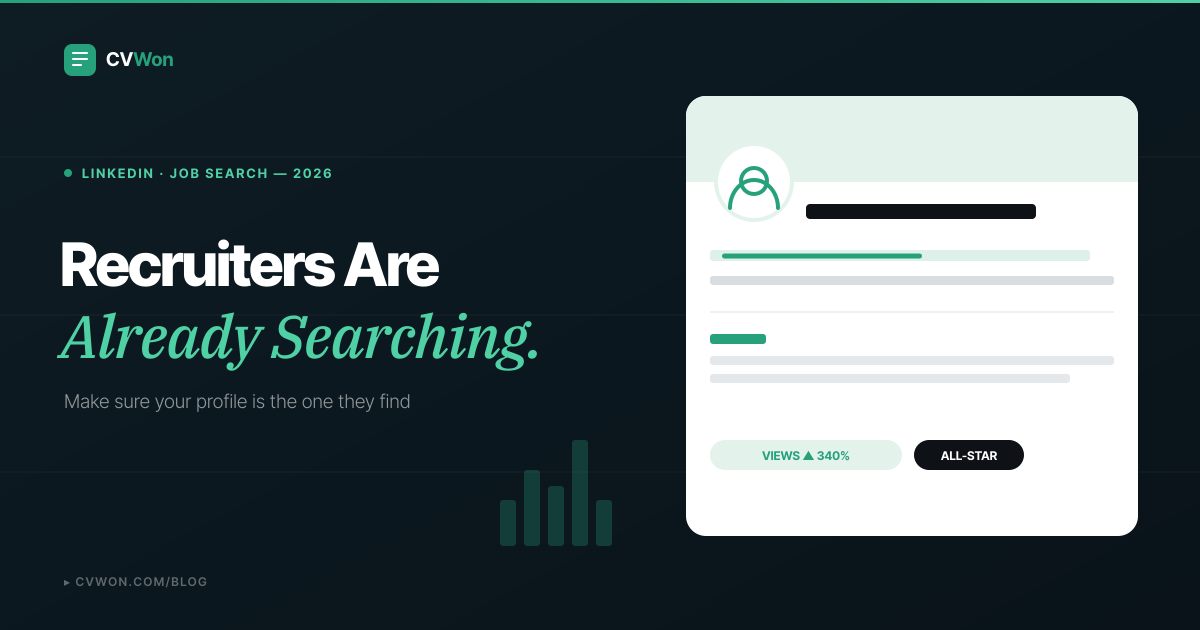
Recruiters search LinkedIn before they ever open a CV — often before a job is even posted publicly. An optimized LinkedIn profile puts the exact keywords recruiters search for in your headline and About section, backs every experience bullet with a number, and lists 5–20 specific skills instead of a generic list — because LinkedIn's search ranks some fields far more heavily than others.
This guide walks through every section of your profile in the order that actually affects whether you get found, with real headline rewrites, a full About-section formula, and the practical detail most guides skip: how "Open to Work" really behaves. Once your profile is live, test the CV or resume you are pairing it with using our free ATS score checker.
Why Does LinkedIn Optimization Actually Matter?
LinkedIn reads your profile the way a search engine reads a webpage: keywords, completeness, recency and engagement signals all factor into whether you surface in a recruiter's search. Recruiters using LinkedIn Recruiter run keyword searches against exactly the fields covered in this guide, then skim the top results in seconds. A profile that is technically "complete" but not written for search simply never appears — no matter how qualified you are.
The good news: unlike a CV, which you tailor per application, you optimize a LinkedIn profile once and it works passively in the background, surfacing you for roles you never applied to. That is the entire point of this guide — a small number of high-leverage edits, done once, done properly.
Your CV and LinkedIn Are Not the Same Document
The single most common mistake is copy-pasting a CV summary straight into the LinkedIn About section. They are different formats solving different problems, and treating them as one document weakens both.
| Element | CV / Resume | LinkedIn Profile |
|---|---|---|
| Voice | Third person, no pronouns | First person ("I help...") |
| Length | One page, tightly cut | Up to 2,600 characters in About; more room to breathe |
| Purpose | Tailored per application, judged by one hiring team | Static, judged by search algorithms and casual visitors alike |
| Tone | Formal, achievement-only | Conversational, can include personality and career narrative |
| Update frequency | Rewritten for every role you apply to | Written once, updated periodically |
If you are unclear on the difference between a CV and a resume in the first place, our CV vs resume guide clears up the terminology before you write either document. The rule going forward: your CV and LinkedIn should tell the same story — same job titles, same headline achievements — in two genuinely different voices.
The LinkedIn Headline: Your Highest-Value Real Estate
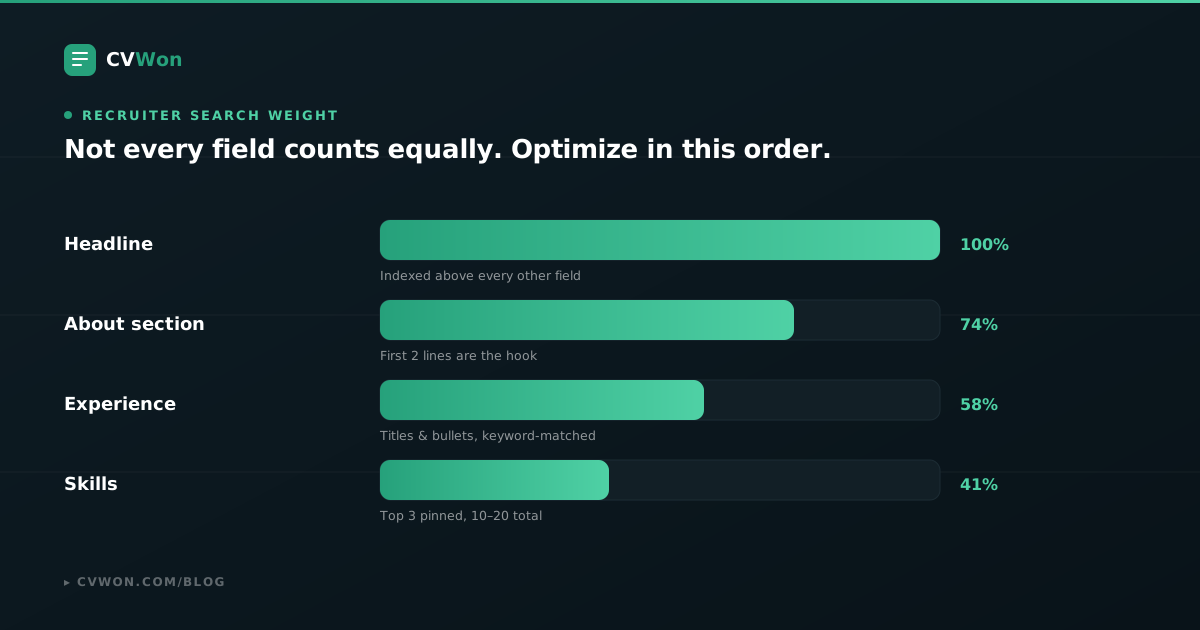
Your headline is indexed more heavily than any other field on your profile, and it appears everywhere — search results, comments, connection requests, InMail previews. LinkedIn gives you up to 220 characters; most people waste it on a plain job title.
Use this formula: role + specialisation/industry + a headline achievement or what you're open to. Separate each part with a vertical bar or middle dot so it stays scannable.
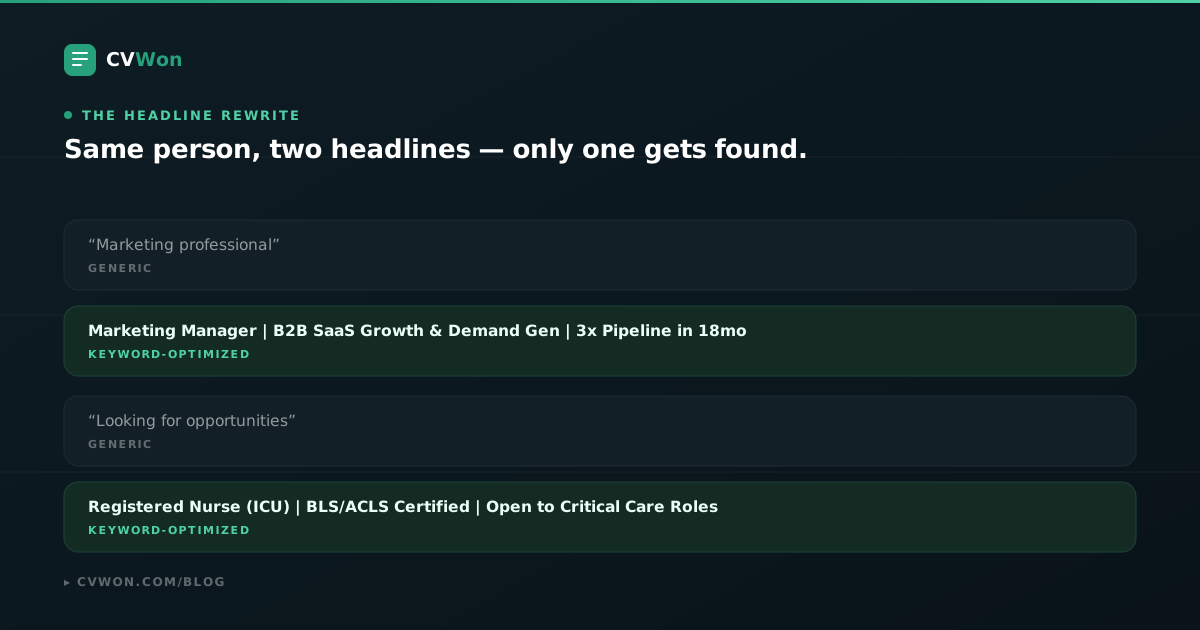
Notice both rewrites name the exact role a recruiter would type into search, then add a specific, credible detail. Build yours around a template like our marketing manager, software engineer, registered nurse or data analyst CV, and pull the same headline language across both documents. If you are still building your first CV with no work history yet, see our guide to writing a CV with no experience for the equivalent headline formula aimed at students and first jobs.
Profile Photo and Banner: The First Filter
Profiles with a photo receive dramatically more views than those without — LinkedIn's own data puts it at up to 21 times more. Your photo and banner are also the first thing a human sees even after the algorithm has already surfaced you, so treat them as a pass/fail filter before anyone reads a word.
- Photo: a recent, well-lit headshot, plain or softly blurred background, professional but approachable expression. Crop tightly on your face and shoulders — LinkedIn displays it small in search results.
- Banner: free advertising space almost nobody uses. A simple banner stating your specialisation, or a subtle brand-colour graphic, reinforces your headline the moment someone lands on your profile.
- Consistency: use the same photo across LinkedIn, your CV (if you include one) and any portfolio site, so recruiters recognise you across platforms.
Writing an About Section That Doesn't Get Skipped
The About section allows up to 2,600 characters, but only the first 200–300 appear before a visitor has to click "see more" — most never do. Treat the opening two lines as a headline in their own right.
Use this structure: a strong opening line naming who you are and your core value, two to three sentences of specific proof (achievements, scope, industries), then a short closing line stating what you are looking for or open to.
"I help mid-size SaaS companies turn stalled pipelines into predictable revenue. Over the past 6 years I've built and led demand-generation teams that grew qualified pipeline 3x at [Company] and cut customer acquisition cost by 28% at [Previous Company]. I'm most energised by early-stage go-to-market problems — messaging that hasn't been said before, channels nobody else has tested yet.
Currently open to Head of Growth and Senior Marketing Manager roles in B2B SaaS."
Write in first person, keep sentences short, and resist the urge to list every responsibility you have ever had — the About section sells a narrative, not a full history. Our CV personal statement examples guide uses a similar first-two-lines-matter principle if you want more formulas to adapt.
Turning Your Experience Section Into Proof, Not a Job Description
LinkedIn's Experience section rewards the same pattern that works on a CV: action verb, what you did, measurable result. The most common failure is pasting a job description instead of writing achievements.
Weak: "Responsible for managing paid social campaigns and reporting on performance."
Strong: "Managed a $40K/month paid social budget across Meta and LinkedIn Ads, improving cost-per-lead by 34% over two quarters through audience and creative testing."
A few LinkedIn-specific details a CV doesn't need to worry about:
- Multiple roles at one company should be listed as separate entries under the same company header — it visually signals internal promotion, which reads well to both recruiters and the algorithm.
- Media attachments (a deck, a case study PDF, a live link) attached to a role add credibility and dwell time, both of which help visibility.
- Every bullet should still mirror the exact keywords a recruiter would search for that role — the same keyword-mirroring principle used to beat an ATS on a CV applies directly to LinkedIn's own search index.
Skills: Fewer, Sharper, Endorsed
List 10–20 specific, relevant skills rather than 50 generic ones — a long unfocused list dilutes your relevance for any single search term. Having five or more skills also makes you substantially more likely to receive connection and message requests, since it gives visitors and the algorithm something concrete to match against.
Pin your top three skills — the ones directly tied to the role you want next — since these are the most visible and the ones LinkedIn prioritises for endorsements. Ask two or three former colleagues to endorse those specific skills rather than leaving endorsements to chance.
Keywords: Getting Found in Recruiter Search
LinkedIn's internal search behaves like a basic search engine: it matches the terms a recruiter types against your headline, About section, experience and skills, roughly in that order of weight. Pull your keyword list from three places: the exact job titles you want to be found for, the tools and certifications those roles require, and the industry or product terms recruiters in that space actually use (SaaS, FinTech, B2B, DTC, and so on).
If you already have a target job posting in mind, run it through our job description analyser — the exact keywords it extracts for beating an ATS are, in most cases, the same terms worth weaving into your headline, About section and skills list.
Open to Work: Public vs Recruiters-Only
LinkedIn's "Open to Work" feature has two distinct modes, and picking the wrong one has real consequences:
- Recruiters only — visible exclusively to users with a LinkedIn Recruiter seat. Invisible to your current employer, coworkers, or anyone browsing your profile normally. This is the safe default if you are employed and job-searching discreetly.
- All LinkedIn members — adds the visible green photo frame everyone recognises. It signals availability broadly and can prompt more inbound interest, but it is visible to your current manager, colleagues and clients too.
Whichever mode you choose, fill in your preferred job titles, locations and start date accurately — recruiters filter searches by these fields directly, and a mismatch (wrong location, no title listed) quietly removes you from searches you would otherwise appear in.
Recommendations and Activity: The Signals Most People Skip
Written recommendations are a differentiator almost nobody uses well. Three or more specific, detailed recommendations — not generic "great to work with" one-liners — signal credibility to both human visitors and LinkedIn's own ranking of profile quality. Ask former managers or close collaborators directly, and offer to write theirs first; specify one or two things you'd like them to mention so the recommendation stays concrete.
Activity matters more than most job seekers assume. Recruiters searching passively tend to see more active profiles ranked higher, and even minimal, consistent activity — a short weekly post, a thoughtful comment on an industry article — signals that a profile is maintained and current rather than abandoned.
Common LinkedIn Profile Mistakes
- Copy-pasting your CV summary word-for-word into the About section instead of writing in first person for a different format.
- A headline that's just a job title — "Marketing Manager" alone wastes the highest-value field on your entire profile.
- No photo, or an unprofessional one — a casual selfie or group photo cropped down undermines an otherwise strong profile.
- An empty or generic About section — or skipping it entirely, which removes one of the most heavily weighted fields from search.
- Fifty vague skills instead of fifteen specific, endorsable ones tied to the roles you actually want.
- Listing duties instead of achievements in the Experience section, with no numbers anywhere.
- Setting "Open to Work" to public while still employed, without realising your current employer can see the green frame too.
- Going completely inactive — a profile with zero activity in a year reads as abandoned to both visitors and the algorithm.
Your LinkedIn Profile Checklist
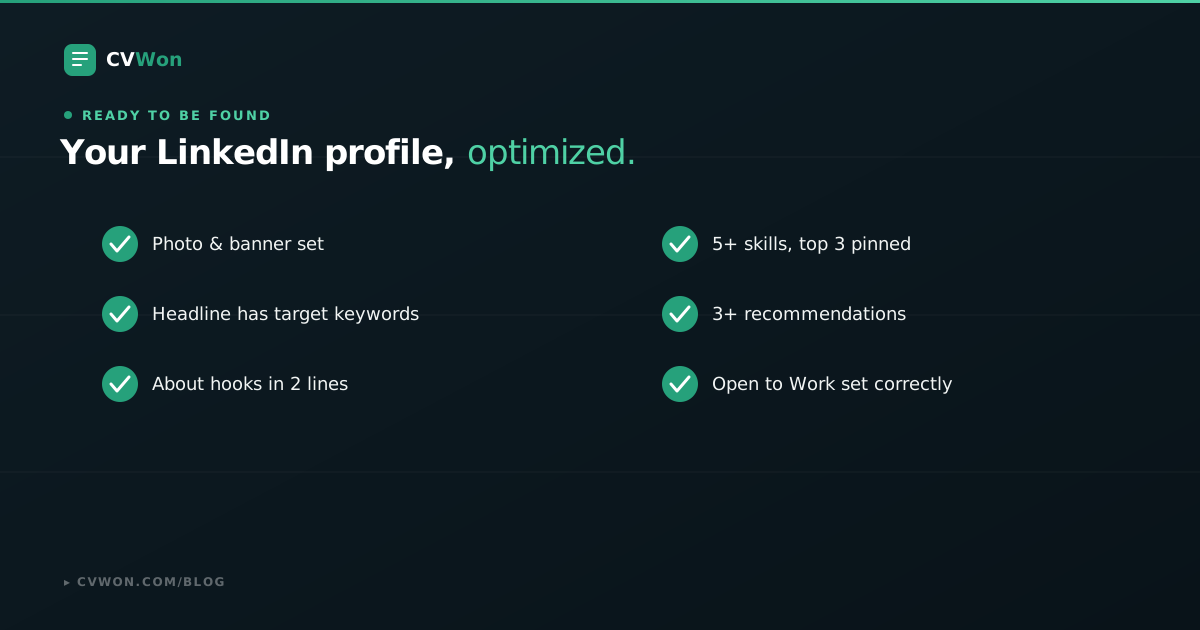
Run through this before you consider your profile finished:
- Professional photo and a banner that reinforces your headline.
- Headline follows role + specialisation + achievement or availability, using target keywords.
- About section hooks in the first two lines, written in first person.
- Every experience bullet follows action verb + what you did + measurable result.
- 10–20 specific skills, with your top three pinned and endorsed.
- Three or more detailed, specific recommendations.
- Open to Work set to the correct visibility for your situation.
- Preferred job titles, locations and start date filled in accurately.
- Some baseline activity — at least occasional posts or comments — so the profile reads as current.
From LinkedIn Back to Your CV (and Vice Versa)
Once your profile is optimized, close the loop with your CV: the same job titles, the same headline achievement, and the same core skills should appear on both, even though the voice and format differ. A recruiter who checks both and finds two inconsistent stories loses confidence fast — one who finds a matching, reinforcing narrative moves you to the next stage faster.
If your CV needs the same attention your LinkedIn profile just got, start from a role-specific option in our full CV template library, or use the AI-powered CV builder to pull the same achievements straight into a tailored, ATS-safe document. Preparing for outreach that follows a stronger profile? Our common interview questions guide covers what typically comes next.
Frequently Asked Questions
How often should I update my LinkedIn profile?
Review it every few months even if you are not job-searching, and update it immediately after a promotion, a new role, or a significant achievement. Consistent, if infrequent, activity also signals to LinkedIn's algorithm that your profile is current rather than abandoned.
What should my LinkedIn headline say if I have no experience yet?
Lead with your target role and your strongest current credential — a degree in progress, a certification, or a relevant project — rather than "Student" alone. For example: "Marketing Graduate | Social Media & Content Strategy | Seeking Entry-Level Roles." Our CV with no experience guide covers the same framing for your CV.
Should my LinkedIn About section be the same as my CV summary?
No. Write your CV summary in third person, formal and tightly cut for one specific role. Write your LinkedIn About section in first person, more conversational, and broader — it needs to work for anyone who visits your profile, not just one hiring manager.
Does LinkedIn's algorithm really favor active profiles in search?
Yes. Recruiters searching passively tend to see more active, recently-updated profiles surface higher, and consistent light activity — occasional posts or comments — signals a maintained, current profile rather than an abandoned one.
How many skills should I list on LinkedIn?
Between 10 and 20 specific, relevant skills, with your top three pinned. A long, generic list of 50 skills dilutes your relevance for any single search term and looks unfocused to both recruiters and the algorithm.
Should I turn on "Open to Work" if I'm currently employed?
Use the "Recruiters only" visibility setting, not the public option. It signals your availability to users with a LinkedIn Recruiter seat while staying invisible to your current employer, coworkers, or clients browsing your profile normally.
Do LinkedIn recommendations actually make a difference?
Yes. Three or more specific, detailed recommendations are a differentiator almost no one uses well, and they add credibility to both human visitors and LinkedIn's own assessment of profile quality. Generic one-line recommendations add little value — ask for specifics.
What's the ideal length for a LinkedIn headline?
LinkedIn allows up to 220 characters, and headlines that use most of that space tend to receive more search impressions than short, one-line job titles. Use the extra room for a specialisation and a headline achievement, not filler words.
Can a strong LinkedIn profile replace a CV?
No. Most employers still require a tailored CV or resume for a formal application, and some information — precise dates, references, education details — is expected in a CV format LinkedIn doesn't replicate. Treat LinkedIn as the discovery layer and your CV as the application document.
Why does my LinkedIn profile not show up when recruiters search?
The most common causes are a generic headline with no target keywords, an empty or thin About section, fewer than five listed skills, or incomplete profile sections. LinkedIn's search weights the headline and About section most heavily, so gaps there have the biggest impact on visibility.
Should I list every job I've ever had on LinkedIn?
No. Prioritise relevant, recent roles the way you would on a CV. Very old or unrelated positions can stay as brief entries without detailed bullets, or be left off entirely if your profile is otherwise strong.
Is it worth adding a custom LinkedIn banner image?
Yes. The banner is free visual space almost no one uses well, and a simple graphic reinforcing your specialisation or headline adds a professional first impression the moment someone lands on your profile.
Build a LinkedIn Profile That Works While You Sleep
A CV works only when you send it. A properly optimized LinkedIn profile works continuously, surfacing you in recruiter searches for roles you never applied to. Start with the headline — it carries the most weight of any single field — then work through the About section, experience bullets and skills using the same keyword-mirroring discipline you would apply to a CV.
Once your profile matches the strength of your CV, make sure the CV itself is just as sharp: build or update it with our AI-powered CV builder, choose from a role-specific CV template, and confirm it passes applicant tracking systems with the free ATS score checker before you apply anywhere. And once the interviews turn into an offer, our salary negotiation guide covers exactly what to say before you sign.
About the Author
Founder and CEO of CVWon, an AI-powered career platform used by 10M+ professionals in 80+ countries. Writing about ATS optimisation, career development, and HR technology.